Digital signage for churches and places of worship
Welcome everyone, and let them know what’s happening.
Service times, this week’s events, volunteer sign-ups by QR code and announcements in the lobby and hall, changed from your phone by the people who run them.
- Service times
- Weekly events
- Volunteer sign-up
- Announcements
- Lobby welcome
From $29 per screen per month · Works with the TVs you have · No contract
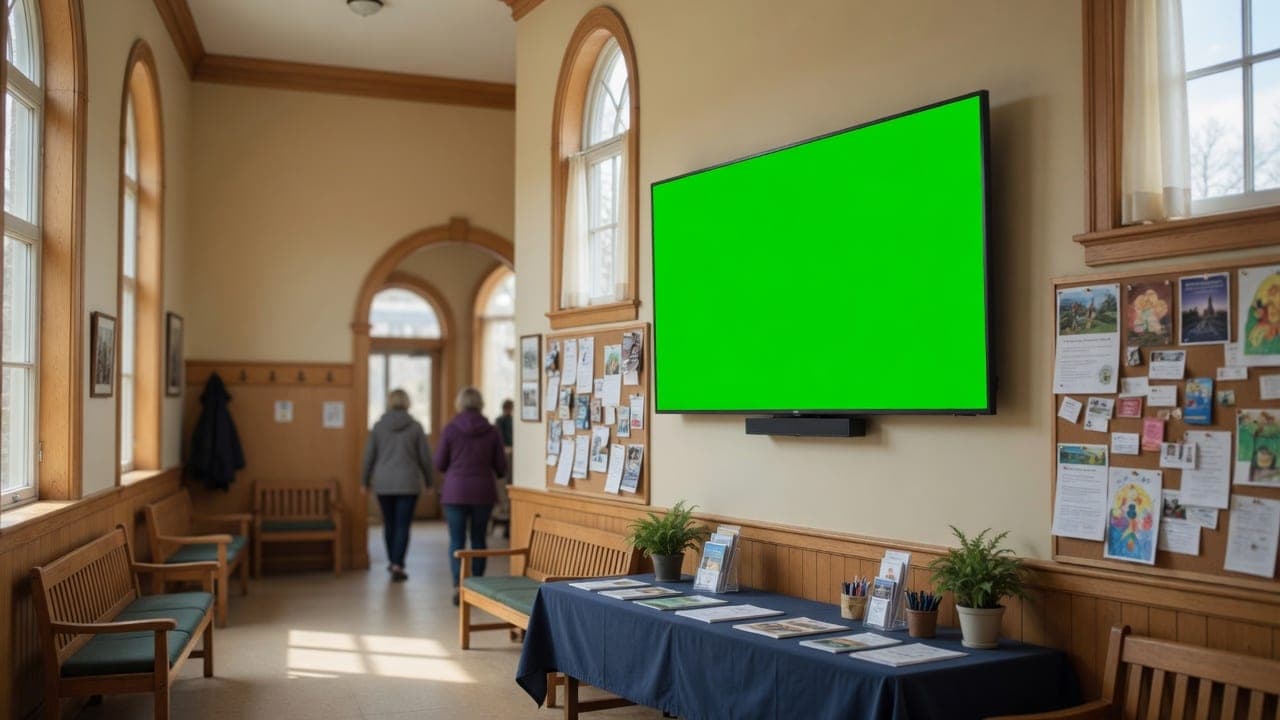
A fictional congregation, playing on the real DealerSign player.
Sound familiar?
What changes for your congregation.
Bulletin boards that are out of date.
Events and announcements update from the dashboard and expire on their own.
Newcomers not knowing where to go.
A welcome and wayfinding play in the lobby.
Volunteer sign-ups on paper.
A QR code to sign up is on every screen.
Every area
The right screen in the right place.
What plays in each part of your congregation, all managed from one dashboard.
Lobby
Welcome, service times and this week’s events.
Hall
Community meals, groups and volunteer sign-ups.
Youth room
Youth events and announcements.
Sanctuary
Before services: notices and the order of the day.
Built in
Everything a congregation needs on its screens.
The right content at the right hour
Schedule content by day and time: morning, lunch, happy hour, evening. It switches on its own, even offline.
How it works: The right content at the right hourMany screens, one player
One Signage Player drives two displays, and synced groups keep several screens in step for menu boards and video walls.
How it works: Many screens, one playerAI-designed announcements
Every month the AI Signage Studio drafts announcements for your congregation, location and season. Edit any word or photo; nothing airs until you approve it.
How it works: AI-designed announcementsInternet radio, included
More than 50,000 free stations by genre or country, different music per area, volume and quiet hours from the dashboard.
How it works: Internet radio, includedScreens that keep your hours
Displays switch on before you open and off after you close, and you can turn any screen on or off from your phone.
How it works: Screens that keep your hoursQR codes you can measure
Every code on screen is tracked: see scans per screen and per promotion.
How it works: QR codes you can measure
Plus the date, time, weather and news on the screen border, emergency messages to every screen, proof of play, remote screenshots and the full list on the features page. Every plan includes every feature.
Pricing
Simple pricing per screen.
No contract. Use the TVs you have with the Signage Player ($199 one-time) or a Fire TV stick, or connect a Samsung commercial display with no box.
Standard
Everything to run every screen, with AI Signage Studio Lite
$29/ screen / month
Billed monthly, cancel any time
Start 14-day free trialPro
The full AI Signage Studio for every location
$49/ screen / month
Billed monthly, cancel any time
Start 14-day free trialEvery trial includes Pro for 14 days and 3 screens. No card needed to start. *Fair use applies to assistant conversations.
FAQ
Questions worship ask.
Can volunteers update the screens?
Yes. Invite them with their own sign-in as staff, so they can update content without changing settings; nothing needs a technician.
Is it expensive?
Plans are per screen, from $29 a month, with no contract; a lobby and a hall usually need two screens.
How much does it cost?
Standard is $29 per screen per month ($290 a year) and Pro with the full AI Signage Studio is $49. No contract: add screens or cancel any time. Hardware is a one-time purchase you own.
Do I need new TVs?
No. Plug the Signage Player ($199 one-time) into any TV with HDMI, use a Fire TV stick, or connect a Samsung commercial display directly with no box. Setup takes about 10 minutes: scan the code on the screen and it is paired.
What happens if the internet goes down?
The screens keep playing from the player’s storage, schedules keep switching, and changes arrive when the connection is back.
Can the screens play music?
Yes. Internet radio is included: more than 50,000 free stations, different music per area, volume and quiet hours from the dashboard. Playing music where customers hear it is a public performance: in Canada that needs SOCAN and Re:Sound licences.
Welcome everyone, and let them know what’s happening.
Start a 14-day trial with every feature, set up for your congregation. Pair your first screen in about 10 minutes.